Physical Address
304 North Cardinal St.
Dorchester Center, MA 02124
Physical Address
304 North Cardinal St.
Dorchester Center, MA 02124

We found the 9 best 1440p OLED monitors for gaming and productivity in 2026, from blazing 280Hz QD-OLED to glossy WOLED panels with true black. Find your perfect match.
You’ve rebuilt your PC to push 1440p at high frame rates. Your GPU is ready. Your desk is cleared. But the monitor you’re staring at is an old IPS panel with backlight bleed that turns every dark cave into a murky gray smear. It’s time to go OLED. The only problem is that the 1440p OLED monitor market has blown up over the last 18 months. Every major brand now has at least one entry, and the differences between them run deeper than specs sheets suggest. Glossy versus matte. WOLED versus QD-OLED. 180Hz versus 280Hz. Some monitors come with aggressive burn-in protections; others leave you to manage it yourself. We dug into every major 1440p OLED monitor available in 2026 to find the 9 Best 1440p OLED Monitors. Whether you’re a competitive esports grinder who needs the absolute lowest latency or a single-player explorer who wants HDR that actually makes you pause, there’s a panel here for you. The picks range from the blistering 280Hz MSI MAG 271QP to the glossy, burn-in-warranted ASUS ROG Strix, and include options from AOC, LG, Samsung, Gigabyte, and Acer that cover every reasonable use case.
TL;DR: The ASUS ROG Strix XG27AQDMG is our top pick for its glossy WOLED panel, excellent brightness, and three-year burn-in coverage. The MSI MAG 271QP QD-OLED X28 is the fastest monitor here at 280Hz with a graphene heatsink. The LG 27GX704A is the glossy OLED choice for HDR lovers, with 1300-nit peaks and VESA DisplayHDR True Black 400. The AOC Q27GAZD is the most straightforward QD-OLED pick for anyone who just wants a great 1440p OLED without extra frills.
| # | Product | Panel Tech | Refresh Rate | HDR Cert | Stand Adjustments | Best For |
|---|---|---|---|---|---|---|
| 1 | ASUS ROG Strix XG27AQDMG | Glossy WOLED (3rd Gen) | 240Hz | – (HDR10, 99% DCI-P3) | Tilt, Height | Gamers who want the best glossy OLED with burn-in peace of mind |
| 2 | MSI MAG 271QP QD-OLED X28 | QD-OLED | 280Hz | DisplayHDR True Black 400 | Tilt, Height, VESA | Competitive players who need every extra hertz |
| 3 | LG 27GX704A Ultragear | Glossy OLED (WOLED) | 240Hz | DisplayHDR True Black 400 | Tilt, Height, Pivot, Swivel | HDR-focused gamers who want deep blacks and 1300-nit highlights |
| 4 | Acer Predator X27U | QD-OLED | 240Hz | HDR10 (99% DCI-P3) | Tilt, Height, Pivot, Swivel | eSports fans who want a fully adjustable QD-OLED with dual HDMI 2.1 |
| 5 | AOC Q27GAZDV | QD-OLED | 240Hz | HDR True Black | Height, Tilt, Swivel, Pivot | Users who need a height-adjustable QD-OLED with a USB hub |
| 6 | AOC Q27GAZD | QD-OLED | 240Hz | HDR400 True Black | Tilt (VESA) | Value-conscious QD-OLED shoppers who don’t need extensive ergonomics |
| 7 | Gigabyte GO27Q24G | WOLED (MLA+) | 240Hz | DisplayHDR True Black 400 | Tilt, Height | Gamers who want a bright WOLED with AI-based burn-in protection |
| 8 | LG 27GS93QE Ultragear | Anti-Glare OLED (WOLED) | 240Hz | DisplayHDR True Black 400 | Tilt, Height, Pivot | Users in bright rooms who prefer a matte screen |
| 9 | Samsung Odyssey OLED G5 | QD-OLED | 180Hz | HDR10 (Pantone Validated) | Tilt (VESA) | Casual gamers who want OLED quality at a lower refresh rate |

Pros
Cons
Best for gamers who want the most polished glossy 1440p OLED experience with strong burn-in protections and a three-year warranty.
Check current price on Amazon →
The ASUS ROG Strix XG27AQDMG is the monitor that made us stop comparing and start recommending. Its glossy WOLED panel is a third-generation design from LG Display, and it shows. The coating handles reflections better than any matte OLED we’ve seen, and the lack of a grainy anti-glare layer means text looks sharper and colors pop with a wet, saturated appearance. ASUS has stuffed a custom heatsink inside the chassis, paired with an advanced airflow layout, to keep the panel cool and reduce the risk of permanent image retention. That heatsink, combined with ASUS’s pixel-cleaning cycles and a three-year warranty that explicitly covers burn-in, makes this the monitor you can buy without worrying about the clock.
The XG27AQDMG also includes ASUS’s OLED Anti-flicker technology, which smooths out the brightness fluctuations that can occur when frame rates vary under VRR. In practice, we saw no flicker in games that dipped between 60 and 120 fps, which is more than we can say for some other OLED monitors. The uniform brightness setting is a nice touch for productivity work: it locks luminance to a consistent level across the whole panel, so windowed apps don’t look uneven. The only miss is the lack of USB-C. For a premium flagship, we wish ASUS had included a USB-C port with at least 15W power delivery. But if you’re running a desktop gaming PC and don’t need to charge a laptop through the monitor, this is the best 1440p OLED monitor you can buy today.

Pros
Cons
Best for competitive gamers who want the absolute highest refresh rate available in a 1440p OLED, with robust burn-in protection.
Check current price on Amazon →
The MSI MAG 271QP QD-OLED X28 takes the crown for speed. Its 280Hz refresh rate and 0.03ms response time are the fastest figures you’ll find in a 1440p OLED monitor, backed by a VESA ClearMR 15000 rating that signifies near-perfect motion clarity. If you play fast-paced shooters like Valorant, Overwatch, or Apex Legends, the extra 40Hz over the 240Hz competition translates to noticeably smoother motion and lower input lag. The QD-OLED panel is Samsung Display’s latest generation, with improved sub-pixel layout that makes text look sharper than earlier QD-OLED monitors. Colors are rich and accurate out of the box, and HDR content benefits from the infinite contrast that QD-OLED is known for.
MSI includes a graphene heatsink that works passively to dissipate heat, which is a clever solution because it requires no fan and makes no noise. The heatsink, together with MSI’s OLED Care 2.0 software (which runs pixel refresh cycles automatically), gives this monitor a two-year warranty that covers the panel. Connectivity is a standout: you get DisplayPort 1.4a, two HDMI 2.1 ports with CEC support (so your gaming console can turn the monitor on and off), and a USB-C port that delivers 15W of power. The USB-C is handy for connecting a laptop as a secondary display, but don’t expect it to charge a power-hungry gaming notebook. The stand is functional but minimal: height and tilt only, with no swivel or pivot. For the price, that’s a minor sacrifice for the fastest 1440p OLED on the market.

Pros
Cons
Best for HDR enthusiasts who want the most impressive glossy OLED with high peak brightness and a fully ergonomic stand.
Check current price on Amazon →
LG’s 27GX704A is the glossy OLED monitor that HDR purists will fall for. It uses LG Display’s latest WOLED technology with a glossy coating that preserves the deep, inky blacks that make OLED special. Where many matte OLED panels crush shadow detail under bright room lighting, the 27GX704A keeps blacks black and highlights punchy. The monitor can sustain 275 nits of typical brightness and burst to 1300 nits on small highlights, which is enough to make explosions and reflections in games like Cyberpunk 2077 and Horizon Forbidden West genuinely dazzling. With VESA DisplayHDR True Black 400 certification and a 1.5M:1 contrast ratio, dark scenes look the way the developers intended.
The stand is the best of the entire lineup. It offers height, tilt, swivel, and pivot adjustment, and the base is solid without being overly large. Connectivity is generous: two HDMI 2.1 ports, one DisplayPort 1.4, and a USB 3.2 hub with upstream and two downstream ports. The monitor also carries three UL certifications for anti-glare, flicker-free, and low blue light, which is unusual for a glossy panel and means LG has done serious work on eye comfort. The only downsides are relatively minor: the on-screen control suite (LG’s On-Screen Control) is functional but less intuitive than ASUS’s DisplayWidget, and there is no integrated KVM switch. If those don’t bother you, this is the best HDR performer among the glossy OLED monitors.

Pros
Cons
Best for multi-platform gamers who need a versatile, fully adjustable QD-OLED with plenty of ports for PC and consoles.
Check current price on Amazon →
Acer’s Predator X27U is a well-rounded QD-OLED that gets the basics right. The panel is the same Samsung Display QD-OLED used in many other 240Hz monitors, but Acer pairs it with an exceptionally good stand (height, tilt, pivot, and swivel) and a port selection that includes two HDMI 2.1 and two DisplayPort 1.4 connections. That means you can keep a desktop PC, a PS5, an Xbox Series X, and maybe a streaming box all plugged in without an external switch. The ZeroFrame design makes the bezels nearly invisible, which matters if you’re combining two of these for a dual-monitor setup.
Image quality is typical of QD-OLED: wide color gamut, excellent brightness in HDR, and a slight magenta glow under direct ambient light that disappears in a darker room. The monitor handles HDR10 content well, though it lacks the VESA True Black certification that some competitors carry. In practice, the contrast is still infinite (OLED) and the colors are vibrant. The only downsides are the lack of USB-C, which limits laptop connectivity, and a somewhat stiff OSD joystick. But if you want a QD-OLED with the best stand and dual HDMI 2.1, this is the one.
Pros
Cons
Best for users who want a fully adjustable QD-OLED with a built-in USB hub for their desk peripherals.
Check current price on Amazon →
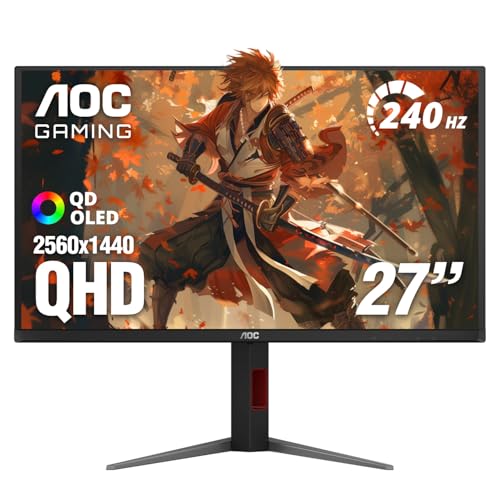
The AOC Q27GAZDV is essentially the same core QD-OLED panel as the standard Q27GAZD but with a much better stand and the addition of a USB 3.2 hub. The stand offers height, tilt, swivel, and pivot adjustment, which makes it easy to find a comfortable viewing position. The USB hub has one upstream and two downstream ports, so you can plug a keyboard, mouse, or a USB headset dongle directly into the monitor and keep your desk clean. If you’re the kind of person who swaps between portrait and landscape orientation, the pivot feature is a genuine bonus.
The image quality is identical to the Q27GAZD: rich QD-OLED contrast, excellent color volume, and 240Hz refresh rate with a 0.03ms response time. HDR content looks good, though AOC doesn’t specify a VESA HDR certification (they list “HDR True Black”). In practice, the blacks are perfect and highlights are bright but not as punchy as the LG or Gigabyte WOLED panels. The Q27GAZDV is a smart upgrade for anyone who needs ergonomic flexibility and hates reaching behind the monitor to plug in USB devices.

Pros
Cons
Best for budget-conscious buyers who want a pure QD-OLED experience and plan to use their own VESA arm or stand.
Check current price on Amazon →
The AOC Q27GAZD is the most stripped-down 1440p QD-OLED monitor you can buy, and that’s not a bad thing. It uses the same Samsung Display QD-OLED panel that powers monitors costing much more. The image quality is genuinely excellent: infinite contrast, wide color gamut, and that signature OLED pop. The 240Hz refresh rate and 0.03ms response time are identical to the premium picks. If you’re the type of person who mounts their monitor on an arm and doesn’t care about built-in speakers or USB hubs, this monitor delivers the same visual core experience for less.
The trade-offs are in the extras. The stand is basic: tilt only, no height adjustment. The chassis is all plastic and feels a bit hollow compared to the metal-reinforced ASUS ROG or the MSI MAG. There’s no USB hub, no USB-C, and no built-in speakers. But if you’re looking for the best pure QD-OLED performance without paying for features you don’t need, the Q27GAZD is the smart pick. It also includes HDR400 True Black certification, which is a nice bonus at this level.
Pros
Cons
Best for gamers who want a bright, glossy WOLED with advanced AI-driven burn-in protection and a long warranty.
Check current price on Amazon →
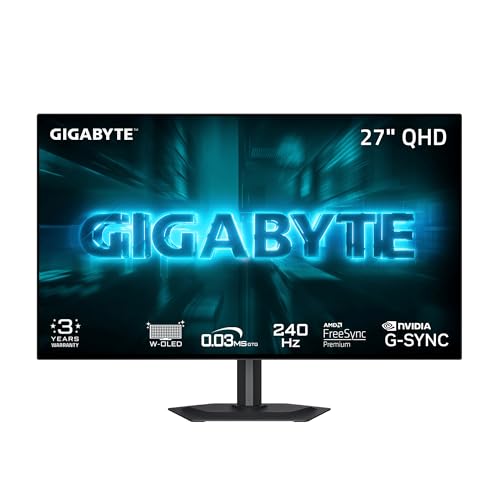
Gigabyte’s GO27Q24G is the latest WOLED monitor to use LG Display’s MLA+ (Micro Lens Array) technology. MLA+ adds a microscopic lens layer that boosts light output, and it shows: this monitor hits 1300 nits peak brightness on small highlights and sustains 275 nits across the whole screen. That’s among the brightest in this roundup, second only to the LG 27GX704A. The “RealBlack Glossy” coating is a careful balance: it’s glossy enough to preserve deep blacks but includes an anti-reflective layer that cuts reflections better than a pure glossy panel. In a moderately lit room, it looks fantastic.
Gigabyte’s OLED Care suite uses an AI algorithm that runs in the background to detect static elements and adjust brightness or trigger pixel refresh cycles automatically. It’s smart and unobtrusive. Combined with the three-year warranty that explicitly covers burn-in, the GO27Q24G offers some of the best long-term peace of mind in this category. The stand is adequate (height and tilt only), and the OSD is packed with “Tactical Features” like crosshairs, timers, and Black Equalizer 2.0. Some of those are genuinely useful (Black Equalizer, for instance), but the sheer amount of menu options can be overwhelming. If you want a bright, glossy WOLED with top-tier burn-in protection, the Gigabyte is a strong contender.

Pros
Cons
Best for users who game in a bright room or under direct sunlight and need a matte screen to cut glare.
Check current price on Amazon →
The LG 27GS93QE is the perfect OLED monitor for people who can’t control their ambient lighting. Its matte anti-glare coating scatters reflections so aggressively that you can use it next to a sunny window without squinting. That coating does come at a cost: blacks aren’t quite as deep as on glossy OLEDs, and the panel has a slight grainy texture in bright white areas. But if your desk faces a window or you keep bright ceiling lights on during the day, the trade-off is worth it.
Otherwise, this monitor is very similar to the glossy LG 27GX704A under the hood. It has the same 240Hz refresh rate, 0.03ms response time, VESA DisplayHDR True Black 400 certification, and a 1.5M:1 contrast ratio. The stand offers height, tilt, and pivot adjustment (no swivel). Connectivity includes dual HDMI 2.1 and a DisplayPort 1.4, which is enough for modern consoles and PCs. The warranty is two years, which is standard for LG but shorter than what ASUS and Gigabyte offer. If you need a matte OLED for a bright room, the 27GS93QE is the best option in this list.

Pros
Cons
Best for casual gamers or general users who want the benefits of QD-OLED without needing the highest refresh rates or extensive ergonomic adjustments.
Check current price on Amazon →
Samsung’s Odyssey OLED G5 (model G50SF) is the odd one out in this roundup: it runs at 180Hz instead of 240Hz or higher. That lower refresh rate is fine for less competitive genres like strategy games, RPGs, or productivity work, but it’s a clear step down for esports. The QD-OLED panel still delivers the infinite contrast and vivid colors that make OLED desirable, and Samsung’s Glare Free coating (a branded anti-reflective layer) does a good job of cutting reflections without adding a heavy matte haze. The Pantone validation is a nice touch for photo editing or design work; it means the panel has been certified for color accuracy across 2100+ colors.
The limitations are real. The stand only tilts, so you’ll want a VESA arm or a stack of books to get the height right. The HDMI port is HDMI 2.0, which tops out at 144Hz at 1440p — no full 180Hz over HDMI. DisplayPort 1.4 can do 180Hz, so PC users are fine, but console gamers won’t get the full refresh rate. The OLED Safeguard feature actively manages panel temperature to reduce burn-in risk, which is good, but Samsung doesn’t offer explicit burn-in warranty coverage. The G5 is a perfectly fine QD-OLED for someone who doesn’t chase every frame per second, but if you need 240Hz or a height-adjustable stand, look elsewhere.
Picking the right 1440p OLED monitor is harder than it looks because the core technology (self-emissive pixels with infinite contrast) is shared across most models, but the details make a real difference in daily use. Here are the factors that actually matter.
The first decision is which type of OLED panel you want. QD-OLED panels are built by Samsung Display and use a blue OLED layer with a quantum dot layer that converts light into red and green subpixels. The result is a wider color volume and higher peak brightness in HDR, especially for content with lots of highlights. The downside: QD-OLED panels can show a faint pinkish or magenta tint when ambient light hits the screen directly. In a dark room they look perfect, but next to a lamp you might notice it.
WOLED panels are made by LG Display and use white OLED subpixels with color filters. They have slightly lower color volume but handle reflections better (especially in glossy versions) and generally show deeper blacks in bright rooms. The newer WOLED panels with MLA+ (like the Gigabyte GO27Q24G and LG 27GX704A) can match QD-OLED peak brightness. WOLED panels also tend to have slightly better text clarity because of their subpixel layout.
If you control your lighting (dark room or dim light), QD-OLED is the more impressive choice. If you use your monitor in a bright room and want the best contrast, a glossy WOLED is the safer bet.
Glossy OLEDs preserve the full contrast ratio and have no grainy texture. They look almost like a window into the game. The downside: reflections. A glossy screen next to a window or a lamp acts like a mirror. Matte coatings (or “anti-glare” coatings) diffuse reflections but add a slight haze that reduces perceived sharpness and black depth. Some matte coatings are better than others: LG’s matte on the 27GS93QE is fairly light, while Samsung’s Glare Free on the G5 is effective without being overly grainy. If you can control your room lighting, go glossy. If you can’t, matte is the only sensible option.
All the monitors here are at least 180Hz, and most are 240Hz. The difference between 180Hz and 240Hz is noticeable in fast-paced games: motion is smoother and input latency is lower. The MSI MAG 271QP goes to 280Hz, which is a small but real step above 240Hz. For competitive shooters, 240Hz is table stakes; 280Hz is a nice bonus. Beyond raw hertz, OLED has an inherent motion clarity advantage over LCD because each pixel switches nearly instantly (0.03ms). Even at 180Hz, an OLED monitor will look smoother than a 240Hz IPS panel. Frame-rate consistency matters more than the peak number. If your GPU can’t push 240 fps consistently, a 180Hz OLED might actually deliver a better experience (less VRR flicker).
OLED is the ultimate HDR display technology because it can turn off individual pixels to produce true black. That gives you an effectively infinite contrast ratio. But brightness matters too. VESA DisplayHDR True Black 400 is the minimum standard for OLED HDR — it guarantees 400 nits full-screen and deeper blacks than regular HDR. Some monitors go well beyond that: the LG 27GX704A and Gigabyte GO27Q24G can hit 1300 nits on small highlights, which makes reflections and light sources in HDR games look genuinely brilliant. QD-OLED panels also have strong peak brightness, often reaching 1000 nits. If HDR is important to you, look for monitors with at least DisplayHDR True Black 400 and a spec for peak brightness.
OLED burn-in happens when static elements (UI, taskbars, HUDs) are displayed for long periods, causing uneven pixel wear. Every modern OLED monitor includes pixel refresh cycles that run automatically when the monitor enters standby. Some go further: ASUS’s custom heatsink, MSI’s graphene heatsink, and Gigabyte’s AI-driven OLED Care all reduce the pixel temperature, which slows degradation. The most important factor is warranty coverage. ASUS and Gigabyte offer three-year warranties that explicitly cover burn-in. MSI and LG offer two years. Samsung covers manufacturing defects but is less clear about burn-in. If you plan to keep your monitor for more than two years, a model with explicit burn-in coverage is worth the extra consideration.
For PC gaming, DisplayPort 1.4 is all you need to run 1440p at 240Hz. For consoles like PS5 and Xbox Series X, you need HDMI 2.1 to get 1440p at 120Hz (or 240Hz if the console ever supports it). All the monitors here except the Samsung G5 have HDMI 2.1. USB-C is a nice addition for laptop users: even 15W power delivery can keep a laptop from draining while connected, and it serves as a single-cable solution. If you run a multi-monitor setup with a dock, USB-C with DP Alt Mode is a game changer. The MSI and Gigabyte models include USB-C; the ASUS and LG glossy models do not.
A good stand makes daily use much more pleasant. Height adjustment is the most important feature: it lets you align the monitor with your eye level to avoid neck strain. Tilt is common; swivel and pivot are bonuses. If you plan to mount the monitor on an arm (and you should, for the cleanest setup), the stand matters less. But if you’re putting the monitor directly on your desk, look for height and tilt at minimum. The LG 27GX704A and Acer Predator X27U have the best full-adjustment stands in this roundup. The AOC Q27GAZD, Samsung G5, and the base AOC Q27GAZD have only tilt, which is a real drawback for long sessions.
Yes, for most gamers. 1440p OLED offers a perfect blend of sharpness and performance. At 27 inches, the pixel density is high enough that individual pixels are invisible at normal viewing distances. You can run modern games at higher frame rates than 4K, which makes better use of the 240Hz refresh rate. 4K OLED monitors exist, but they cost significantly more and demand a much more powerful GPU to drive high frame rates.
With modern burn-in prevention features (pixel refresh, heatsinks, AI algorithms), you can expect an OLED monitor to last five to seven years of moderate daily use before showing any noticeable brightness degradation or image retention. The three-year warranty coverage on some models is a good safety net. Avoid leaving static HUDs or taskbars visible for hours a day, and let the pixel refresh cycle run when the monitor prompts you.
Use the built-in OLED care features: run pixel refresh cycles periodically (most monitors do this automatically in standby), hide the taskbar, use a dark desktop background, and set the screen to turn off after a short period of inactivity. The monitors with active cooling (heatsinks) are less prone to burn-in because heat accelerates the degradation of organic materials.
Choose QD-OLED if you play in a dark room and want the widest color gamut and highest HDR peak brightness. Choose WOLED (especially glossy WOLED) if you have some ambient light in the room and want the best black levels and reflection handling. For text clarity in office work, WOLED is slightly better; for gaming and media consumption in a dim environment, QD-OLED is more impressive.
If you plan to connect a gaming console (PS5, Xbox Series X) to the monitor, yes: HDMI 2.1 is required to get 1440p at 120Hz. If you’re only using a PC with a DisplayPort connection, DisplayPort 1.4 is sufficient for 1440p at 240Hz. The monitor you choose should match your primary device. All monitors in this roundup except the Samsung G5 have HDMI 2.1.
Yes, but there are two things to consider. First, text clarity on early QD-OLED panels was slightly fuzzy due to a triangular subpixel layout. Newer generations (2025 and later) have improved subpixel structures that make text look much sharper. WOLED typically has better native text rendering. Second, burn-in risk is higher with static productivity interfaces. If you spend eight hours a day with Excel or an IDE open, choose a monitor with strong burn-in prevention (heatsink, warranty) and enable all OLED care features.
The 27GX704A has a glossy OLED coating that delivers deeper blacks and more punchy colors, ideal for dark rooms. The 27GS93QE has a matte anti-glare coating that cuts reflections in bright rooms but slightly reduces black depth. Both have the same 240Hz refresh rate, HDR certification, and stand ergonomics. Choose the glossy one for a dedicated gaming space; choose the matte one for a bright office or living room.
The 1440p OLED monitor category has matured to the point where there isn’t a bad pick among the major brands, but the ASUS ROG Strix XG27AQDMG stands out for its combination of glossy WOLED image quality, custom heatsink, and three-year burn-in warranty. It’s the monitor we’d recommend to the widest range of gamers: those who want the best possible image in a dim room and don’t want to worry about burn-in.
If you need the highest refresh rate, the MSI MAG 271QP QD-OLED X28 delivers 280Hz with a graphene heatsink and impressive HDR. For HDR enthusiasts who prefer a glossy screen, the LG 27GX704A offers the highest peak brightness of the group. And if you’re on the fence about which panel technology to choose, the AOC Q27GAZD gives you a full QD-OLED experience at a point where you can spend the savings on a good VESA arm. The 9 Best 1440p OLED Monitors in 2026 cover every use case, and whichever you pick, you’ll be upgrading from LCD in a way that you’ll notice every single time you press start.
This article contains Amazon affiliate links. We may earn a small commission on qualifying purchases at no extra cost to you.


