Physical Address
304 North Cardinal St.
Dorchester Center, MA 02124
Physical Address
304 North Cardinal St.
Dorchester Center, MA 02124

Find the best WiFi 7 routers in 2026 for every home. Our expert picks include TP-Link, eero, and Netgear models for fast, reliable whole-home coverage.
Your internet plan is faster than ever, but your old router is the bottleneck. Wi-Fi 6 was a big step, but Wi-Fi 7 is the real leap: Multi-Link Operation, 320 MHz channels, and multi-gig ports that finally match what fiber and cable can deliver. The problem is the market flooded with "BE" numbers, tri-band claims, and mesh promises that all sound the same. We sorted through the options to find the best Wi-Fi 7 routers right now, from a simple upgrade to a whole-home mesh system.
These nine picks cover every situation: a single router that handles a solid home, a tri-band beast with a 10G port, mesh kits for sprawling houses, and an entry-level option that doesn’t cut corners. Whatever your home looks like, there’s a router here that will actually use your internet plan the way it was meant to.
TL;DR: The TP-Link BE6500 (BE400) is the one most people should buy: good speed, dual 2.5G ports, and broad coverage. The TP-Link Deco BE25 3-pack is the best mesh for large homes. The TP-Link Archer BE600 is for those who need a 10G port and max wired speeds. The eero 7 2-pack is the simplest mesh setup for eero loyalists.
| # | Product | Bands | Speed Class | Coverage | Ports | Best for |
|---|---|---|---|---|---|---|
| 1 | TP-Link BE6500 (BE400) | Dual (2.4/5 GHz) | BE6500 | 2,400 sq ft | 1×2.5G WAN/LAN + 1×2.5G LAN + 3x1G LAN | Overall best balance |
| 2 | TP-Link Archer BE230 | Dual (2.4/5 GHz) | BE3600 | 2,000 sq ft | 2×2.5G + 3x1G LAN | Entry-level Wi-Fi 7 |
| 3 | TP-Link Archer BE600 | Tri (2.4/5/6 GHz) | BE9700 | 2,600 sq ft | 1x10G WAN/LAN + 1×2.5G WAN/LAN + 3×2.5G LAN | Top wired speeds |
| 4 | TP-Link Archer BE550 | Tri (2.4/5/6 GHz) | BE9300 | 2,000 sq ft | 1×2.5G WAN + 4×2.5G LAN | Tri-band value pick |
| 5 | TP-Link Deco BE63 3-pack | Tri (2.4/5/6 GHz) mesh | BE10000 | 7,600 sq ft | 4×2.5G per unit | Premium whole-home mesh |
| 6 | TP-Link Deco BE25 3-pack | Dual (2.4/5 GHz) mesh | BE5000 | 6,600 sq ft | 2×2.5G per unit | Large home mesh on a budget |
| 7 | eero 7 (1-pack) | Dual (2.4/5 GHz) mesh | 1.8 Gbps wireless | 2,000 sq ft | 2×2.5G auto-sensing | Simple single-node mesh |
| 8 | eero 7 (2-pack) | Dual (2.4/5 GHz) mesh | 1.8 Gbps wireless | 4,000 sq ft | 2×2.5G per unit | Easy mesh for medium homes |
| 9 | Netgear Nighthawk RS140 | Dual (2.4/5 GHz) | BE5000 | 2,250 sq ft | 1×2.5G internet port | Netgear brand & design |
Wi-Fi 7 routers are still new, and the spec sheet doesnâÂÂt tell you how they behave in a real house. HereâÂÂs what we looked for.

Pros
Cons
Best for: Most households with a single router and multi-gig internet, who want a balance of performance, coverage, and future-proofing without overspending.
Check current price on Amazon →
The TP-Link BE6500, also labeled as the Archer BE400, is the sweet spot in the current Wi-Fi 7 lineup. It gives you the core Wi-Fi 7 features: Multi-Link Operation, 4K-QAM, and Multi-RU, all running on a modern quad-core CPU. That matters more than the BE6500 rating suggests, because the processor keeps the connection stable even when a dozen devices are streaming, gaming, and video-calling at once.
The dual 2.5 Gbps ports are what make this router genuinely useful today. One connects to your modem at full gig-plus speed, and the second lets you wire a desktop or NAS at the same rate. Most routers at this tier only give you one 2.5G port and leave the rest at 1 Gbps, which wastes the speed if you have a multi-gig plan. The three additional 1 Gbps LAN ports handle consoles, TVs, and switches fine.
Coverage is honest. The 2,400 sq ft claim holds up in a typical two-bedroom apartment or compact house. Beamforming focuses the signal, but if your home is longer than that, youâÂÂll need to pair it with an EasyMesh extender or step up to a tri-band model. The USB 3.0 port is a nice bonus for network storage, but itâÂÂs not a replacement for a dedicated NAS.
Where this router falls short is the 6 GHz band. You only get 2.4 and 5 GHz, so the newest Wi-Fi 7 clients that can use 320 MHz channels on 6 GHz wonâÂÂt reach full potential. For most people, thatâÂÂs a theoretical loss rather than a real one, because even the 5 GHz band here is fast enough for 4K streaming and heavy downloads. The TP-Link BE6500 is the router we recommend to anyone who wants Wi-Fi 7 now, without paying for bands they donâÂÂt need.

Pros
Cons
Best for: Budget-conscious buyers who want Wi-Fi 7 for a smaller home or apartment, and donâÂÂt need tri-band or extreme coverage.
Check current price on Amazon →
The Archer BE230 is the cheapest way to get into Wi-Fi 7 without buying something that feels cheap. The build quality is solid, and that quad-core 2.0 GHz processor is the same class of chip used in routers costing much more. It does not choke when you pile on streaming and video calls, as long as you stay under 60 devices.
Dual 2.5 Gbps ports are generous at this level. Most sub-hundred-dollar routers stick to one 2.5G port, but TP-Link included a second, so you can connect a wired PC or game console at full speed while the modem feeds the router at multi-gig. The USB 3.0 port is a rare inclusion here, and it works well for a shared hard drive on the network.
Coverage is modest. The 2,000 sq ft rating works in open floor plans, but add a few interior walls and the signal drops off faster than the BE6500. That is where EasyMesh helps: you can add a compatible extender later without replacing the router. If your home is smaller than 1,500 square feet, this is probably all you need. The lack of a 6 GHz band is noticeable only if you own Wi-Fi 7 clients that can use it, and even then, the 5 GHz performance is strong enough for most use cases.

Pros
Cons
Best for: Enthusiasts with multi-gig fiber (2 Gbps and up) who want the fastest wired and wireless speeds from a single router, plus a 10G port for a NAS or gaming PC.
Check current price on Amazon →
The Archer BE600 is a statement piece. That 10 Gbps port is the real draw: plug your modem into it if your ISP offers multi-gig, or use it to link a high-speed NAS. The three 2.5 Gbps LAN ports mean every wired device gets a multi-gig connection, not just one. This is the router you buy when your internet plan is faster than 1 Gbps and you actually have the devices to use it.
On the wireless side, the tri-band setup gives you a dedicated 6 GHz band with 320 MHz channels. In practical terms, that means a Wi-Fi 7 laptop like a modern MacBook Pro or a Samsung Galaxy S24 Ultra can hit real-world speeds approaching 2 Gbps over wireless, provided you are close enough. The 7-stream architecture allocates bandwidth intelligently, so older Wi-Fi 6 and 5 devices donâÂÂt clog the faster bands.
Coverage of 2,600 sq ft is the best among single routers here, but it is still limited by walls and floor layout. The six external antennas are better than internal ones, but they make the router a large presence on a desk. VPN support is a bonus for remote workers who need to route traffic through a corporate VPN without installing clients on every device. The HomeShield software is competent, but you will need to pay for the Pro tier to get real-time threat detection and advanced parental controls.

Pros
Cons
Best for: Users who want tri-band Wi-Fi 7 to future-proof for multiple Wi-Fi 7 clients, but donâÂÂt need a 10G port or extreme range.
Check current price on Amazon →
The Archer BE550 sits in a strange middle ground. It has the tri-band hardware and the full set of four 2.5 Gbps LAN ports, but it lacks the headline 10G port of the BE600 and the massive coverage of the BE6500. For its intended audience, though, it makes perfect sense.
That audience is anyone who already owns a few Wi-Fi 7 devices and wants them to run at their best. Because the BE550 includes a 6 GHz radio, your phone, laptop, and tablet can each grab a slice of that uncontested spectrum without fighting with older Wi-Fi 5 gear on 2.4 GHz. Multi-Link Operation works across all three bands, which reduces latency noticeably in video calls and online games.
The four 2.5 Gbps LAN ports are a standout feature. Almost no other router in its class gives you that many multi-gig wired ports. If you have a NAS, a gaming PC, and a media server all wired, each one gets a dedicated 2.5 Gbps link rather than sharing a single port. The WAN port is also 2.5 Gbps, so the router can handle a 2 Gbps internet plan without a bottleneck.
Coverage is functional but not exceptional. The internal antennas keep the design clean, but the router needs to be centrally placed to hit its 2,000 sq ft rating. The private IoT network is a nice security touch; it creates a separate SSID for light bulbs and thermostats that cannot talk to your main devices. If you already have Cat6 running to key spots, this router makes the most of them.
Pros
Cons
Best for: Large homes or tech-heavy households where wired backhaul is impractical, and you want the fastest mesh possible with tri-band Wi-Fi 7 and multi-gig ports.
Check current price on Amazon →
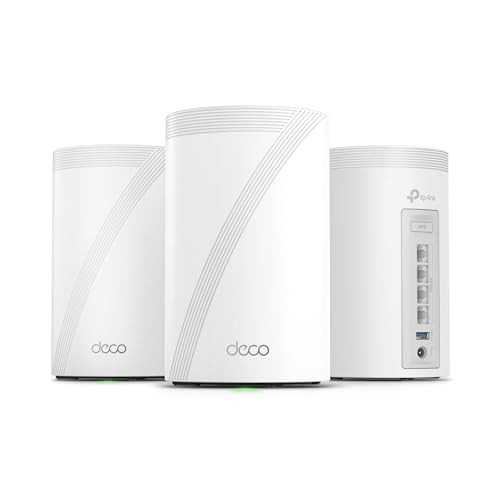
The Deco BE63 is the mesh system you buy when you want wireless speeds that rival wired connections. Each node is a tri-band router with its own 6 GHz radio, and the system can use that 6 GHz band for backhaul between nodes. That means the satellite units stay fast even if you cannot run Ethernet between them. If you can wire them, the four 2.5 Gbps ports per unit support wired backhaul, and the system automatically selects the best path.
AI-roaming is not a marketing gimmick here. The Deco app learns which devices move around the house and pre-allocates bandwith to keep video calls from dropping when you walk from the kitchen to the home office. In practice, handoffs are nearly seamless, which is rare for mesh systems at any price.
Coverage is enormous. The 3-pack covers 7,600 sq ft, which is enough for a 5,000 sq ft house with a yard. The system supports over 200 devices, so even a house full of smart bulbs, cameras, and gaming consoles will not bog it down. The 10 Gbps port on the main node is a bonus for future internet plans, but the 2.5 Gbps ports on the satellites are more immediately useful for wiring a PC, console, or TV in a distant room.
The trade-off is physical size. Each Deco 7 Pro unit is noticeably bigger than the standard Deco, and the white cylindrical design stands out. The system also leans on a subscription for the best security features, though the basic HomeShield includes network scan and parental controls. This is the best mesh for anyone who absolutely needs maximum throughput everywhere.

Pros
Cons
Best for: Large homes that need reliable whole-home coverage with Wi-Fi 7, but where the budget does not stretch to a tri-band mesh.
Check current price on Amazon →
The Deco BE25 is the sensible mesh choice. It gives you Wi-Fi 7, good coverage, and multi-gig ports, and it keeps the package straightforward. Each node is dual-band, so the 5 GHz radio has to balance client traffic and node-to-node backhaul. That is fine for most homes, especially if you wire the nodes together using the 2.5 Gbps ports. If you run Ethernet between them, the backhaul becomes wired, and the wireless spectrum is freed up entirely for your devices.
Coverage is where this system shines. Three nodes cover 6,600 sq ft, which is enough for a 4,000 sq ft two-story house plus a basement. The AI-Roaming feature works well; moving between floors does not drop a Zoom call. The Deco app is one of the easiest in the industry to set up, and it gives you clear insight into which devices are connected and how much bandwith they use.
The absence of a 6 GHz band is the biggest compromise. Wi-Fi 7 clients that can use 320 MHz on 6 GHz will not reach their full potential here. But the 5 GHz band with 240 MHz channels is still faster than Wi-Fi 6, and for streaming, browsing, and even gaming, the difference is marginal in real use. The lack of USB is a minor loss; most people will not miss it.
If your home is large and your internet plan is 1 Gbps or less, the Deco BE25 gives you seamless coverage without overpaying for tri-band hardware you might not need.
Pros
Cons
Best for: Users who want the simplest possible Wi-Fi 7 upgrade for a smaller home or apartment, especially those already in the eero ecosystem.
Check current price on Amazon →
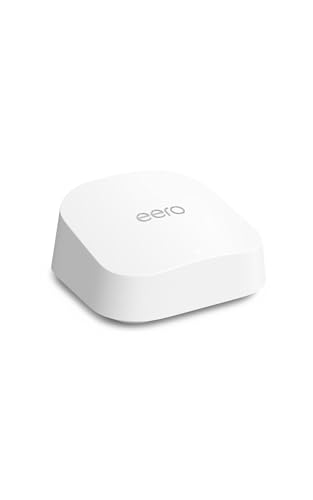
The eero 7 single pack is the least intimidating Wi-Fi 7 router you can buy. You plug it in, open the app, and it works. TrueMesh handles interference and channel switching automatically, which is a genuine advantage for people who do not want to manually tweak settings. The two auto-sensing 2.5 GbE ports adapt to WAN or LAN roles, so you can use them flexibly.
Performance is adequate but not class-leading. The wireless speed tops out at 1.8 Gbps, which is fine for a 1 Gbps internet plan but shows the limits of a dual-band system without 6 GHz. The single node covers 2,000 sq ft, and the router relies on beamforming to reach the edges. In an open apartment, that works. In a house with thick walls, you will want the 2-pack.
The eero software ecosystem is the main draw. The app gives you a clear network dashboard, and if you pay for eero Plus, you get ad blocking, malware protection, and VPN through Guardian. For many people, the simplicity justifies the speed trade-off. This is the router you buy for a parent, a small apartment, or anyone who just wants Wi-Fi 7 without drama.
Pros
Cons
Best for: Medium-sized homes (up to 3,500 sq ft) where ease of use and reliable coverage matter more than raw speed, especially for eero loyalists.
Check current price on Amazon →
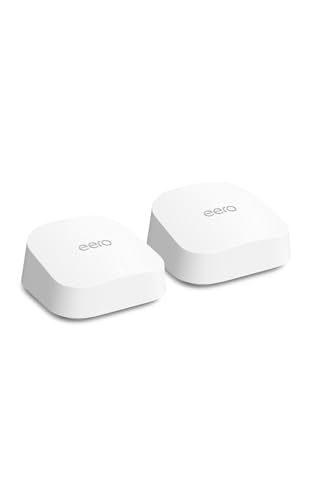
The eero 7 2-pack fixes the single-nodeâÂÂs coverage problem. Two nodes cover 4,000 sq ft, which is enough for a typical three-bedroom house with a finished basement. The TrueMesh software decides in real time which band each node uses for backhaul, and if you wire them together via Ethernet, the wired backhaul frees up the wireless for client devices.
Setup remains the gold standard. The eero app walks you through placement and tests the connection between nodes. It tells you if the signal is too weak and suggests moving a node closer. That hand-holding is what makes eero the right choice for people who do not want to think about networking.
The wireless speed cap of 1.8 Gbps and the lack of a 6 GHz band mean this is not the fastest mesh on paper. But for a family with a 1 Gbps fiber connection, streaming 4K on three TVs, gaming, and working from home, it handles everything without hiccups. The two 2.5 GbE ports per node let you wire a PC or game console into either node, giving full wired speed.
The subscription model for advanced parental controls and ad blocking is annoying, but the basic functionality is usable. If you already have an older eero system, adding these nodes creates a hybrid mesh that upgrades the network gradually.

Pros
Cons
Best for: Existing Netgear users who want the Nighthawk interface and reliability, and only need a single strong router for a moderately sized home.
Check current price on Amazon →
The Nighthawk RS140 is NetgearâÂÂs entry into Wi-Fi 7, and it sticks to the brandâÂÂs philosophy: a single, powerful router with a familiar interface. The angular black body is smaller than the old Nighthawks, but it still looks like a gaming router. The single 2.5 Gbps port handles a multi-gig modem, but all other LAN ports are 1 Gbps, which is a letdown in a Wi-Fi 7 router. You cannot wire a second device at multi-gig speed without a switch.
Coverage is solid. The 2,250 sq ft claim holds up in a typical house, and the beamforming antennas focus signal where it is needed. The BE5000 speed rating means the 5 GHz band can push 4.6 Gbps theoretical, though real-world speeds depend on client hardware. NetgearâÂÂs web interface is more detailed than eeroâÂÂs app, which experienced users will prefer.
The lack of USB and mesh support limits its flexibility. If you want network storage or whole-home coverage, you need separate hardware. But for a straightforward upgrade from an older Nighthawk, the RS140 works. The free expert support is a nice touch when something goes wrong.
Wi-Fi 7 is a generational leap, but the router landscape is full of numbers that do not translate directly to real-world speed. Here is what actually matters when you are shopping for the best Wi-Fi 7 router for your home.
Every Wi-Fi 7 router works on at least two bands: 2.4 GHz and 5 GHz. Tri-band adds a third radio on 6 GHz. The 6 GHz band is where Wi-Fi 7 shines because it has 320 MHz channels and no interference from older Wi-Fi devices. If you own recent flagship phones or laptops with Wi-Fi 7 (iPhone 16 Pro, Samsung Galaxy S24 Ultra, recent high-end laptops), tri-band lets them use the full potential of the standard.
Dual-band routers are cheaper and still fast, but they force the 5 GHz band to handle both client traffic and potentially backhaul in a mesh system. For homes where Wi-Fi 7 clients are rare, a good dual-band router is plenty. For households with multiple Wi-Fi 7 devices, tri-band avoids contention.
Your internet plan might be 1 Gbps or 2 Gbps, but if your router only has 1 Gbps ports, you are capped. Look for at least one 2.5 Gbps WAN port. Ideally, the router also has at least one 2.5 Gbps LAN port to wire a desktop or NAS at full speed. Some high-end models include a 10 Gbps port, which is overkill for most plans today but future-proofs for the next few years.
If you run a mesh system, wired backhaul between nodes transforms performance. Each node with 2.5 Gbps ports lets you connect them via Ethernet, freeing the wireless bands for your devices. Even if you do not wire them now, the option matters later.
Mesh systems are not just for mansions. A single router with beamforming can cover about 2,000 to 2,500 square feet in an open plan. If your home has multiple floors, thick walls, or a long layout, the signal degrades quickly. Mesh systems use multiple nodes to blanket the house with consistent speed.
The trade-off is complexity. Some mesh systems require an app and can be finicky about node placement. Single routers are simpler but demand a central location. If you can get away with a single strong router, it is usually the better value.
Multi-Link Operation (MLO) lets a device connect to multiple bands at once, increasing throughput and reducing latency. It is one of the biggest practical improvements in Wi-Fi 7. 320 MHz channels on the 6 GHz band double the bandwidth from Wi-Fi 6âÂÂs 160 MHz, but only work if the router and client both support it. 4K-QAM packs more data into each signal.
These features are standard on all Wi-Fi 7 routers, but not all clients support them yet. Buying a router that includes them ensures you are ready as devices upgrade. The difference between a router that handles MLO well and one that is buggy often comes down to firmware quality, so stick with brands that update their software regularly.
A routerâÂÂs software defines daily use. TP-LinkâÂÂs HomeShield offers parental controls, IoT network isolation, and network scanning for free, with a paid tier for advanced threat detection. eeroâÂÂs TrueMesh manages interference and roaming automatically, but its full security suite costs extra. NetgearâÂÂs Armor security is subscription-based.
Parental controls that work without a subscription are rare. TP-LinkâÂÂs basic HomeShield includes time limits and content filtering, which is enough for most families. IoT network isolation is important: a separate network for smart bulbs and cameras keeps them from snooping on your main devices.
If you have a multi-gig internet plan (2 Gbps or faster) or own the latest smartphones and laptops, Wi-Fi 7 makes a big difference. For a typical 1 Gbps connection with older devices, Wi-Fi 6 is still perfectly capable. The main reason to upgrade now is future-proofing: your next phone and computer will use Wi-Fi 7.
Not necessarily. The 6 GHz band that tri-band routers include is the fastest, but dual-band routers with 2.4 GHz and 5 GHz are still much faster than Wi-Fi 6. If most of your devices are on 5 GHz, dual-band is fine. Tri-band helps if you have multiple Wi-Fi 7 clients or run a mesh system without wired backhaul.
Yes. Wi-Fi 7 routers are backward compatible with all modems and previous Wi-Fi generations. Your old phone and laptop will work just fine. The router only delivers faster speeds to devices that support Wi-Fi 7.
The numbers (BE6500, BE9300) represent the combined theoretical maximum speed across all bands. BE6500 is about 6.5 Gbps total; BE9300 is about 9.3 Gbps. Real-world speeds are lower, and the difference mainly shows in homes with many fast devices.
Most Wi-Fi 7 routers support 60 to 120+ devices. The actual limit depends on the processor and how the router manages bandwith. For a typical family with phones, laptops, streaming boxes, and a few smart home gadgets, even an entry-level router handles everything.
Yes, if the wireless backhaul has to travel through multiple walls. Wired backhaul via Ethernet fixes that completely. If you cannot wire, place nodes within about 30 feet of each other for good performance. The Deco BE25 and BE63 both recommend wired backhaul for best results.
Basic security features like network scan and parental controls are often free on TP-Link routers. Advanced threat detection and ad blocking require a subscription. For most people, the free tier is enough. If you are particularly concerned about security or have many IoT devices, the subscription adds value.
The TP-Link BE6500 (BE400) is the best Wi-Fi 7 router for the widest range of people. It has dual 2.5 Gbps ports for real multi-gig use, solid coverage, and all the Wi-Fi 7 features that matter. If your home is large and you cannot or will not run Ethernet, the TP-Link Deco BE25 3-pack gives you seamless coverage without overspending. For users who want the absolute fastest single router with a 10G port, the TP-Link Archer BE600 is the clear choice. The eero 7 2-pack wins on simplicity for anyone who just wants the network to work.
If you are unsure, start with the single TP-Link BE6500. It covers most homes and most needs. If it is not enough, you can add an EasyMesh extender later. That is the beauty of this generation: the best Wi-Fi 7 router is the one that fits your home today and grows with it.
This article contains Amazon affiliate links. We may earn a small commission on qualifying purchases at no extra cost to you.


