Physical Address
304 North Cardinal St.
Dorchester Center, MA 02124
Physical Address
304 North Cardinal St.
Dorchester Center, MA 02124

We pick the 9 best curved monitors for gaming and productivity in 2026, from budget 24-inch to ultra-wide 49-inch. Find the right curve for your setup.
Flat monitors have been the standard for decades, but once you sit in front of a good curved display, it is hard to go back. The gentle (or aggressive) bend creates a natural wrap around your peripheral vision, reducing reflections at the edges and delivering a sense of depth that flat panels just cannot match. Whether you are racing through corners in a sim, editing a timeline in a 21:9 timeline, or just want a desk that feels more like a cockpit, the best curved monitors in 2026 offer something for every use case and desk size.
The nine picks here cover everything from a compact 24-inch curve for tight budgets to the monstrous 49-inch Odyssey that replaces two monitors entirely. Hardcore gamers will want high refresh rates and QHD resolution; productivity users should look for ultrawide aspect ratios and color accuracy; and anyone who just needs a second screen for browsing can find solid options that keep the desk looking clean. Here are the models that stood out this year.
TL;DR: The Samsung Odyssey G55C 32-inch is the best all-round gaming monitor with sharp QHD and a fast 165Hz panel. For ultrawide productivity and gaming, the Sceptre 34-inch WQHD delivers massive screen space at a strong value. And if you want the ultimate immersive experience, the Samsung Odyssey G9 49-inch wraps your entire field of view in a 1000R curve. Budget buyers should look to the Sceptre 24-inch or the SANSUI 27-inch for decent curves at a lower entry point.
| # | Product | Size | Resolution | Refresh Rate | Curvature | Best for |
|---|---|---|---|---|---|---|
| 1 | SAMSUNG Odyssey G55C | 32" | QHD (2560×1440) | 165Hz | 1000R | Best all-round gaming |
| 2 | SANSUI 27″ 160Hz | 27" | FHD (1920×1080) | 160Hz | 1500R | Best budget high-refresh 27″ |
| 3 | Sceptre 27″ Prime Gaming | 27" | FHD (1920×1080) | 100Hz | 1500R | Solid entry-level 27″ gaming |
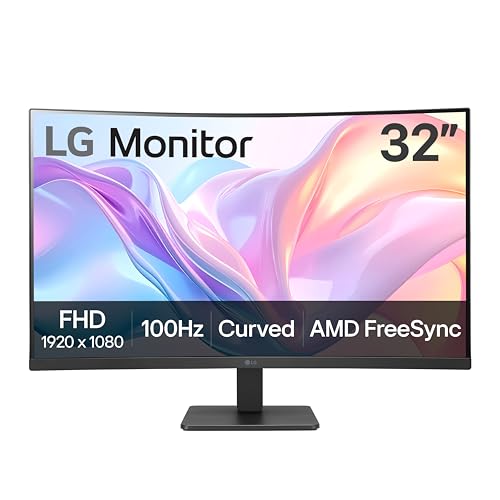
| 4 | LG 32MR50C-B | 32" | FHD (1920×1080) | 100Hz | Curved | Large screen for movies and casual gaming |
| 5 | Samsung 24″ Essential S3 | 24" | FHD (1920×1080) | 100Hz | 1800R | Best compact curved for small desks |
| 6 | Sceptre 24″ C248W | 24" | FHD (1920×1080) | 75Hz | 1800R | Best value 24″ curved |
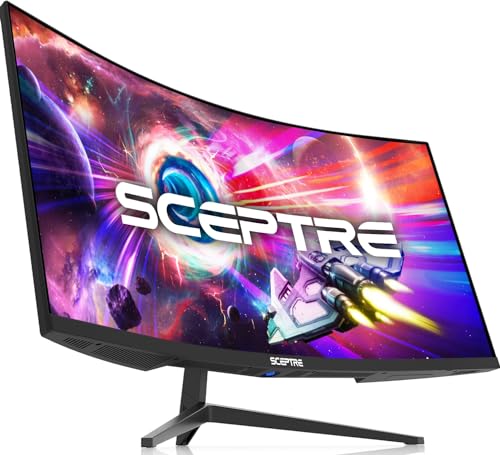
| 7 | Sceptre 34″ Ultrawide WQHD | 34" | WQHD (3440×1440) | 180Hz | 1500R | Best ultrawide for productivity and immersive gaming |
| 8 | Samsung 34″ ViewFinity S50GC | 34" | Ultra-WQHD (3440×1440) | 100Hz | Curved | Best ultrawide for multitasking |
| 9 | Samsung Odyssey G9 49″ DQHD | 49" | DQHD (5120×1440) | 240Hz | 1000R | Best premium immersive gaming |
We focused on what actually makes a curved monitor worth buying, not just the numbers on a spec sheet. Here are the factors we weighed for the best curved monitors in 2026:

Pros
Cons
Best for: Gamers who want a high-refresh QHD curved monitor that doesn't break the bank, especially those playing fast-paced shooters and RPGs.
Check current price on Amazon →
The Odyssey G55C is the monitor that the popular G5 series always wanted to be. The 32-inch VA panel at 1000R is aggressive, wrapping the edges of the screen into your periphery so you stop noticing the bezels. QHD at this size gives you a pixel density that keeps text readable and game worlds crisp without requiring a top-tier graphics card to hit 60 frames per second.
The 165Hz refresh rate is the sweet spot for most gamers. It feels noticeably smoother than 144Hz, and the 1ms MPRT response keeps fast motion from turning into a blur. FreeSync works well if you have an AMD GPU. The biggest frustration is the stand, which only tilts. You will want to budget for a VESA arm or a monitor riser if you need height adjustment. But if you can live with that, the image quality and speed make this the most well-rounded pick on the list.

Pros
Cons
Best for: Gamers who want a fast curved monitor without spending extra, and who are fine with 1080p at this size.
Check current price on Amazon →
SANSUI steps up with a monitor that punches above its weight on refresh rate. 160Hz is fast enough to make even casual gaming feel fluid, and the 1ms response keeps ghosting under control. The 1500R curve is a meaningful step from the looser curves found on many lower-cost monitors. It wraps around your field of view without distorting the image at the edges.
The tradeoff is resolution. FHD on a 27-inch panel gives a pixel density of about 81 PPI, which is fine for games but not ideal for reading small text or editing photos. The vibrant color coverage helps compensate somewhat. If you sit at a typical arm's length, the softness is manageable. For pure gaming speed on a budget, this is a strong contender.

Pros
Cons
Best for: Budget-minded gamers who want built-in speakers and a clean, simple curved setup.
Check current price on Amazon →
The Sceptre Prime Gaming line has been a dependable choice for years, and the 27-inch model stays true to that tradition. The 1500R curve is subtle enough for daily desktop use but present enough to add depth in games. The 100Hz refresh rate is a real upgrade over standard 60Hz panels. Fast strafing in shooters feels more controlled, and scrolling through documents looks smoother.
What sets this apart from the SANSUI above is the inclusion of built-in speakers. They are not going to replace a decent soundbar, but they are good enough for YouTube and voice chat, and they keep your desk free of extra clutter. The color accuracy is decent for this tier. If you need a no-fuss 27-inch curved monitor that does everything adequately, this is a safe bet.
Pros
Cons
Best for: Users who want a large curved screen for media consumption and casual gaming, sitting a bit farther back.
Check current price on Amazon →
LG's 32MR50C is a big, bold curved monitor that prioritizes size and contrast over pixel density. The VA panel gives you deep blacks that make movies look cinematic, and the 100Hz refresh handles sports and action scenes competently. The curvature is advertised as simply "curved" without an R rating, but in practice it gives a gentle wrap that helps with viewing angles on a large panel.
The biggest caveat is the resolution. At 32 inches, 1080p pixels are obvious from a normal desk distance. Text looks a little blocky, and fine details in games lack the sharpness you get from QHD. This monitor works best as a secondary display for video, or for someone who sits far enough back that the pixels blend together. The OnScreen Control tool is genuinely useful for dividing the screen into sections.

Pros
Cons
Best for: Users with limited desk space who want a compact curved monitor for office work and occasional gaming.
Check current price on Amazon →
Samsung's Essential S3 proves that a small curved screen can still be beneficial. The 1800R curvature is moderate but still pulls the edges toward you, making a 24-inch panel feel more expansive than it is. The 100Hz refresh rate is a welcome step up from the 60Hz panels that still dominate this size class. Even scrolling through browser pages feels smoother.
The eye comfort features are genuine. The TÜV certification means the blue light reduction actually works without washing out colors too much, and the flicker-free backlight helps during long work sessions. Game Mode is basic but useful for popping into a quick round of something after hours. If your desk is cramped or you just want a second monitor that curves with you, this is the best compact pick.

Pros
Cons
Best for: The most price-conscious buyers who still want a curved screen for general use, streaming, and light desktop tasks.
Check current price on Amazon →
The Sceptre 24-inch has been a staple for years because it does exactly what people need without any fuss. The 1800R curve at this size is subtle enough to avoid distortion but present enough to give the screen a slight wrap-around feel. The 75Hz refresh is a tangible improvement for everyday scrolling and video watching. In games, the higher refresh makes panning the camera feel less choppy than a standard 60Hz panel.
Missing features are expected at this level. The stand has no height adjustment, and the speakers are thin, but they work. The 98% sRGB coverage means colors are not going to wow you, but they are perfectly fine for web browsing and office documents. This is the monitor to buy when you need a curved screen on a tight budget and do not plan to do serious gaming or creative work.
Pros
Cons
Best for: Gamers and professionals who want to upgrade to an ultrawide without spending a fortune, especially for racing games and multitasking.
Check current price on Amazon →
The Sceptre 34-inch ultrawide is a monster value. The 3440×1440 resolution at 34 inches hits the sweet spot for both work and play. You get enough horizontal space to have three browser windows side by side, and the 180Hz refresh makes even desktop navigation feel snappy. Racing games like Forza Horizon look incredible on it, with the 1500R curve pulling the road into your peripheral vision.
The VA panel gives you deep blacks that help with contrast in darker games, but viewing angles are narrower than an IPS panel would offer. If you are sitting dead center, it is fine. The stand is disappointing for a monitor this size. A height-adjustable stand would make a huge difference for ergonomics. But if you are willing to mount it on an arm, the value here is unmatched among ultrawide curved monitors.

Pros
Cons
Best for: Professionals who need a large, color-accurate curved screen for spreadsheets, coding, and media review.
Check current price on Amazon →
Samsung's ViewFinity series is built for people who live in productivity apps. The 34-inch panel at 3440×1440 lets you keep a PDF on one side, a browser on the other, and a chat window in the middle without overlapping. The 100Hz refresh is enough to make scrolling through long documents feel effortless. The HDR10 support and wide color gamut help if you occasionally review video or edit photos.
The smartest feature here is the ambient light sensor. It adjusts the screen brightness automatically based on the room lighting, which sounds trivial but genuinely reduces eye strain over an entire day of work. The auto brightness combined with TÜV-certified eye care makes this a very comfortable monitor to sit in front of for hours. The 5ms response time means you do not want to play fast shooters on it, but for strategy games or RPGs it is perfectly fine.

Pros
Cons
Best for: Enthusiasts who want the most immersive curved display available, especially for racing, flight sims, and competitive shooters.
Check current price on Amazon →
The Odyssey G9 is the monitor that makes people stop by your desk to ask what it is. The 49-inch screen with a 1000R curve is alarming at first. It fills your entire forward field of vision, making flat monitors feel like looking through a window. The DQHD resolution is effectively two 2560×1440 monitors fused together with no bezel. This means you can run a game in the center and have Discord and a browser open on the sides, all without any overlap.
The 240Hz refresh and 1ms response is as good as it gets. In fast shooters like Overwatch or Valorant, the smoothness is surreal. DisplayHDR 1000 pushes bright highlights to 1000 nits, so explosions and sunlight are genuinely blinding. The built-in CoreSync lighting adds another layer of immersion by casting colored light onto your wall that matches the on-screen action. The stand is excellent and fully adjustable.
The only real downside is the size. You need a desk at least 30 inches deep to use it comfortably, and some games do not support the super ultrawide ratio. But if you have the space and the graphics horsepower to drive it, the G9 is the pinnacle of the best curved monitors in 2026.
Choosing the right curved monitor comes down to a few key specifications that determine how the screen looks, feels, and performs for your specific tasks. Here is what you need to know before you buy.
The curvature rating is the radius of the circle the curve would form, measured in millimeters. A smaller number means a tighter curve. 1000R is the most aggressive, wrapping around your vision like a cockpit. 1500R is still noticeably curved, while 1800R is subtle, often barely noticeable at smaller screen sizes. For 27-inch monitors, 1500R is a good balance. For 32-inch and above, 1000R becomes truly immersive. Do not buy a 24-inch monitor with 1000R; the tight curve can cause distortion at the edges at that small size.
Resolution determines how sharp the image looks. FHD (1920×1080) is standard and works well on 24-inch and 27-inch panels, though at 27 inches the pixel density is lower. QHD (2560×1440) is the sweet spot for 27-inch and 32-inch screens, offering sharp text and detailed game worlds without requiring a top-tier GPU. Ultrawide resolutions like 3440×1440 or 5120×1440 give you more horizontal space, which is fantastic for productivity and immersive gaming. But they demand more graphics power, especially at the wider 32:9 aspect ratio.
Refresh rate affects how smooth motion appears. 60Hz is basic, 75Hz is an upgrade, 100Hz is smooth, and 144Hz to 240Hz is fast enough for competitive gaming. Response time (measured in milliseconds) indicates how quickly a pixel changes color. Lower is better for reducing ghosting. 1ms to 5ms is good for gaming; higher is acceptable for office work. Remember that VA panels often have slower transitions at very dark colors, which can cause a bit of trailing in low-light scenes.
Most curved monitors use VA (Vertical Alignment) panels because they offer high contrast ratios and deep blacks, which look great in dark rooms. VA panels also tend to have better native contrast than IPS. The tradeoff is narrower viewing angles. If you sit directly in front of the screen, it is fine. But if you share the screen or watch from the side, colors and brightness shift. IPS curved monitors exist but are less common and usually more expensive. For gaming and media, VA is the standard choice.
Check the ports. HDMI and DisplayPort are essential. Some monitors include USB-C, which allows single-cable connection for laptops. Built-in speakers are convenient but almost never sound good. A monitor with height adjustment, swivel, and tilt makes a huge difference in comfort. If the stand is poor, you can always use a VESA mount (most monitors support 100×100mm or 75×75mm). Consider cable management too: some stands have built-in cable routing, which keeps your desk tidy.
The number is the radius of the imaginary circle the curve would create, in millimeters. A 1000R curve is tighter and more immersive than a 1500R or 1800R curve. For most users, 1500R is a good middle ground.
Yes, especially ultrawide curved monitors. The horizontal space lets you keep code on one side and documentation or a terminal on the other. The curve reduces reflections and makes it easier to read text at the edges without turning your head.
Yes, as long as the monitor has VESA mounting holes (typically 100×100mm). Most curved monitors in this list support VESA mounts. A monitor arm gives you full freedom to adjust height, tilt, and rotation.
Ghosting is related to panel technology and response time, not curvature. VA panels (common in curved monitors) can have slower pixel transitions in dark colors, which may cause a slight trailing effect. Look for monitors with fast response times (1ms to 5ms) if you are sensitive to that.
Measure the depth of your desk. For a 27-inch monitor, you want at least 20 inches of depth. For a 34-inch ultrawide, 24 inches is comfortable. For a 49-inch monitor like the Odyssey G9, you need at least 30 inches of desk depth to sit at a proper viewing distance.
They can help. The curve matches the natural shape of your eye's field of view, which can reduce the amount your eyes need to refocus when looking from center to edge. Combined with low blue light and flicker-free backlights, they are generally comfortable for long sessions.
Use a microfiber cloth lightly dampened with distilled water. Never spray liquid directly on the screen. For stubborn smudges, mix a 50:50 solution of distilled water and white vinegar. Avoid alcohol, ammonia, or paper towels. Clean gently in a circular motion from center to edges.
The best curved monitor for most people is the Samsung Odyssey G55C 32-inch. It hits the perfect combination of resolution, refresh rate, curvature, and overall value for gamers who want immersion without going ultrawide. If you need an ultrawide for productivity and gaming, the Sceptre 34-inch is a stellar choice that keeps costs reasonable. And for those who want the absolute best and have the desk space for it, the Samsung Odyssey G9 49-inch is a transformative piece of hardware that turns your desk into a cockpit.
If you are on a tight budget, the SANSUI 27-inch gives you fast refresh at a low entry point, while the Sceptre 24-inch is the cheapest way to get a curved screen for general use. For pure productivity, the Samsung ViewFinity 34-inch is hard to beat with its ambient light sensor and PIP features.
No matter which you choose, the best curved monitors in 2026 all share one thing: they make you forget you are looking at a flat rectangle. And once that happens, it is hard to go back.
This article contains Amazon affiliate links. We may earn a small commission on qualifying purchases at no extra cost to you.


