Physical Address
304 North Cardinal St.
Dorchester Center, MA 02124
Physical Address
304 North Cardinal St.
Dorchester Center, MA 02124

We tested the 9 best printer scanners for home and office in 2026, from compact inkjets to fast laser all-in-ones. Find the right one for your setup.
You need to print a boarding pass, scan a signed contract, or copy a page from a book. The printer scanner sitting on your desk can handle all three, but only if you picked the right one. Too many all-in-ones frustrate with slow scan speeds, flimsy paper trays, or ink that dries up before you finish the starter cartridges. The best printer scanners solve those problems before you ever hit print.
We have sorted through the current crop of multifunction printers to find the 9 best printer scanners for every type of home and office user. This roundup includes compact inkjets for small desks, high-volume ink tank models for families, and a fast monochrome laser that chews through documents. Whether you need a simple copier for light use or a full-featured workhorse with an auto document feeder and fax, there is a pick here that matches your workflow.
TL;DR: The Canon PIXMA TS6520 is the one most people should buy: versatile, easy to set up, and produces sharp prints. The Brother DCP-L2640DW is the best for fast black-and-white printing with low running costs. The HP Smart Tank 5000 is the high-volume champion with years of ink included. The HP OfficeJet Pro 8139 is the full-featured home office option with a touchscreen and fax.
| # | Product | Print Type | Key Feature | Best for |
|---|---|---|---|---|
| 1 | Canon PIXMA TS6520 | Color inkjet | 1.42" OLED display, duplex, dual-band Wi-Fi | Versatile home use with occasional photo printing |
| 2 | Brother DCP-L2640DW | Monochrome laser | 36 ppm print speed, 50-page ADF, Ethernet | Small offices that print high volumes of black documents |
| 3 | HP OfficeJet Pro 8139 | Color inkjet | 2.7" touchscreen, ADF, fax, AI formatting | Home offices needing fast color prints and smart features |
| 4 | HP OfficeJet Pro 8125e | Color inkjet | 225-sheet tray, ADF, dual-band Wi-Fi | Home offices on a tight setup budget |
| 5 | HP Smart Tank 5000 | Color ink tank | 2 years of ink included, cartridge-free refill | Families or students with high page volumes |
| 6 | Canon PIXMA TR7120 | Color inkjet | Auto document feeder, OLED display, duplex | Home users who scan multi-page documents |
| 7 | Canon PIXMA TR4720 | Color inkjet | Fax, ADF, auto duplex, Alexa compatible | Users who need fax and scan in a compact package |
| 8 | Brother Work Smart 1360 | Color inkjet | 1.8" color display, Cloud app printing, 20-sheet ADF | Home and home office with moderate color needs |
| 9 | Canon PIXMA TS4320 | Color inkjet | Ultra-compact, duplex, EPEAT Silver | Budget-conscious users who need basic print and scan |
When choosing a printer scanner, these are the factors that separate a good daily driver from a paperweight.

Pros:
Cons:
Best for: The average home user who prints a mix of documents, school assignments, and the occasional photo and wants a reliable all-in-one with a premium-feeling display.
Check current price on Amazon →
The Canon PIXMA TS6520 manages to feel like a more expensive printer than its size suggests. The 1.42-inch OLED screen is the first thing you notice, it displays ink levels and printer status clearly without requiring you to dig into a software menu. That sounds small, but it makes a real difference when you need to confirm a stalled print job or see which cartridge is low.
Print quality is the TS6520's strongest hand. Text documents come out crisp, with no smudging or blur on standard copy paper. Photos on glossy paper have good color saturation and detail, though they won't match a dedicated photo printer for fine art prints. The 2-cartridge system (one black, one tri-color) keeps running costs manageable, and you can buy high-yield replacements to go longer between changes.
On the connectivity side, the TS6520 supports both bands of Wi-Fi, which helps avoid the interference that plagues 2.4GHz-only printers in congested apartments. Setup through the Canon PRINT app is straightforward, and Apple AirPrint works the first time. The only miss is the lack of an auto document feeder, which means any multi-page scan or copy has to be done one sheet at a time on the flatbed. For most households that is a minor inconvenience, but it is the reason the TR7120 exists in this list.
The compact footprint fits on a shallow desk, and the white finish keeps it from dominating the room. If you need one printer scanner that does almost everything well without complication, this is it.
Pros:
Cons:
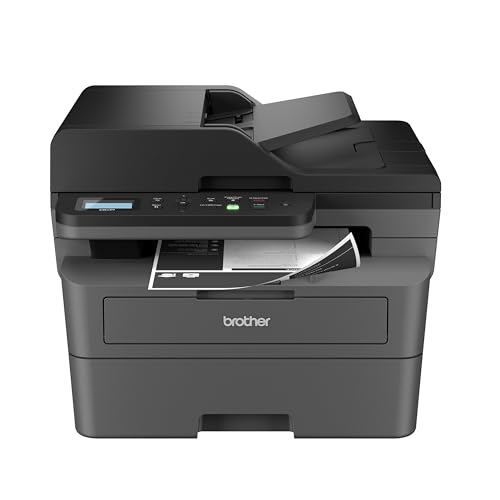
Best for: Small businesses and heavy document users who print mostly black-and-white reports, forms, and invoices and want the lowest per-page cost.
Check current price on Amazon →
The Brother DCP-L2640DW is the right tool if your output is almost entirely black text. Laser printers have a reputation for being fast and cheap to run, and this Brother lives up to it. At 36 pages per minute, it leaves every inkjet in this list behind when you have a 50-page document to print. The first page comes out in under seven seconds, so there is no warm-up wait.
The 50-page ADF is a standout feature for anyone who scans multi-page contracts or receipts. You can load a stack, press scan, and walk away while the DCP-L2640DW processes the whole batch. The flatbed scanner itself is decent for single pages and books, but the ADF is what makes this model feel like a productivity tool rather than a home consumer gadget.
Paper handling includes a 250-sheet tray, which is generous for a compact laser. Duplex printing is standard. The control panel is simple and button-based, which some users may prefer over a touchscreen for muscle-memory operation. It also works with Amazon Alexa for voice-activated reordering of toner, a nice touch for a machine aimed at small offices.
The trade-off is obvious: no color. If you need even occasional color charts or flyers, you would be better served by one of the HP OfficeJet Pro models or a Canon inkjet. But if your printing is 95 percent black documents, the DCP-L2640DW will save you time and eliminate the hassle of dried-out ink cartridges.
Pros:
Cons:
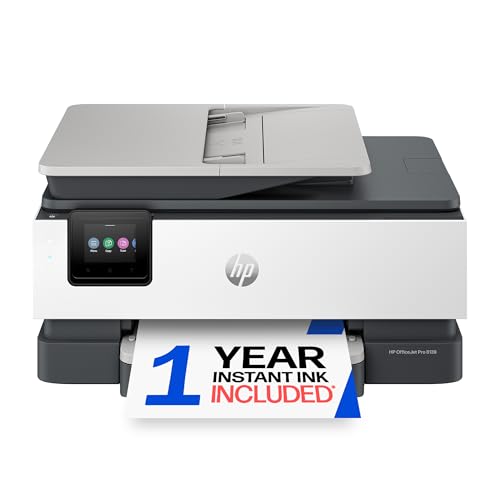
Best for: Home office users who need fast color printing, scanning, copying, and faxing in one machine and want a polished software experience.
Check current price on Amazon →
The HP OfficeJet Pro 8139 is the most feature-packed all-in-one in this lineup. The 2.7-inch color touchscreen is genuinely pleasant to use, with large icons and responsive swipe gestures. You can preview scans, adjust settings, and connect to cloud services directly from the screen without ever touching a computer.
Print speed is rated at 20 pages per minute in black and 10 in color, which is competitive for a color inkjet in this class. The automatic document feeder handles up to 225 sheets, and the printer supports two-sided scanning through the ADF as well as two-sided printing. That means a 20-page double-sided report can be printed, collated, and ready without you turning a single page.
HP has integrated its AI-based formatting tool into the 8139. When you print a web page or email, the software strips out unwanted ads and sidebars so the content fits the page properly. It is a small thing, but it saves paper and frustration. The printer also comes with a one-year trial of HP's Instant Ink subscription, which automatically sends new cartridges when you are low. After the trial it becomes a paid service, but many users find the per-page savings worth it.
The 8139 is not small. At 18.1 inches wide and 17.6 pounds, it needs a dedicated spot on a desk or credenza. If your workspace is tight, consider the smaller Canon PIXMA TR7120. But if you have the room and want a single device that can print, scan, copy, and fax with professional speed and ease, this HP delivers.

Pros:
Cons:
Best for: Home offices that need the core productivity features (ADF, duplex, fast color) but do not require a fax machine or a touchscreen interface.
Check current price on Amazon →
The HP OfficeJet Pro 8125e shares almost all the important DNA of the 8139 but cuts a few frills to hit a different spot in the lineup. It still offers the same print engine, the same 225-sheet tray, and the same auto document feeder. The key difference is the control panel, which swaps the color touchscreen for a 2-line monochrome display surrounded by buttons. That makes day-to-day navigation a little slower, but once you set the printer up on your network, you will mostly interact with it through your computer or phone anyway.
Print quality is identical to the 8139. Text comes out sharp, color graphics are vivid enough for client handouts, and duplex printing works without jams. The scanning performance through the ADF is reliable, with the scanner capable of capturing both sides automatically if you have the duplex ADF option (note: this model's ADF is single-sided, but the flatbed supports double-sided scanning manually). For most home offices that is enough.
The 8125e also includes HP's AI formatting for web prints and a three-month trial of Instant Ink. The automatic connection troubleshooting feature can save a phone call to tech support when Wi-Fi acts up. It is not the flashiest printer on the list, but it does the essential things well and leaves room in the setup for other office gear. If you never fax and can live without a touchscreen, this is a smarter allocation of resources than stepping up to the 8139.
Pros:
Cons:
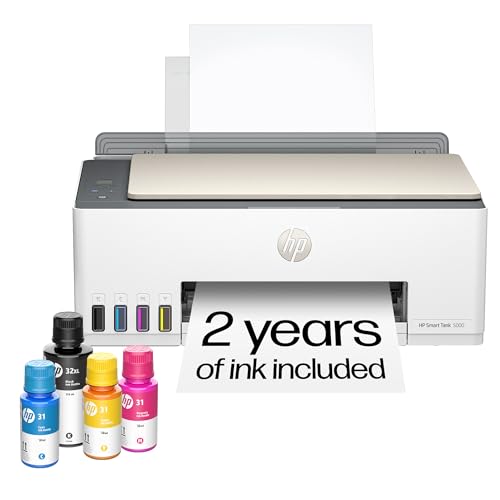
Best for: Households or students who print hundreds of pages a month and want to minimize trips to the store for ink.
Check current price on Amazon →
The HP Smart Tank 5000 changes the conversation about running costs. Instead of replacing cartridges every few hundred pages, you pour bottles of ink into built-in tanks and keep printing. The box includes enough ink for 6,000 black pages and 6,000 color pages, which for a typical family could last two years or more. That is the headline, and it is a compelling one.
Refilling is genuinely mess-free. The ink bottles have a nozzle that only dispenses when pressed against the tank inlet, so there is no spilling even if you are clumsy. The printer itself is simple, a straightforward ink tank model with a flatbed scanner and copier on top. It supports wireless printing via the HP Smart app and works with Apple AirPrint and Mopria.
The trade-offs are speed and scanning features. Print speed is slower than the OfficeJet Pro models, around 12 pages per minute in black. There is no auto document feeder, so scanning multi-page documents requires manual page turning. And the printer is not especially compact, the ink tanks add width compared to a cartridge machine.
But for the person who prints homework, puzzles, permission slips, and the occasional photo, the Smart Tank 5000 eliminates the most annoying part of owning a printer, running out of ink. You just top up the tank when the low indicator shows, and keep going. That peace of mind is worth the slower pace.

Pros:
Cons:
Best for: Home users who need to scan or copy multi-page documents regularly but do not need fax or ultra-high print speeds.
Check current price on Amazon →
The Canon PIXMA TR7120 sits between the TS6520 and the full-fledged TR4720 in the Canon lineup. It takes the excellent 2-cartridge print engine and OLED display of the TS6520 and adds an auto document feeder, which is the feature that the TS6520 lacks. For anyone who regularly scans multi-page receipts, contracts, or school worksheets, the ADF makes the TR7120 the better choice.
The ADF handles up to 20 sheets and feeds them through the scanner quickly. Combined with duplex scanning (manual flip, but the ADF helps), you can process a 10-page double-sided document in a few minutes instead of standing at the flatbed. The flatbed itself is fine for single pages and bound materials.
Print quality matches the TS6520. Text is sharp, colors are saturated, and borderless photo printing up to 8.5×11 inches is supported. The OLED display shows ink levels and printer status without needing to open a software window. Canon's PRINT app is one of the better printer apps, with clean navigation for scanning to PDF or printing from cloud storage.
The TR7120 lacks fax, which some home offices still need. If fax is required, step down to the TR4720. But if you just need a scanner that can handle a stack of papers and a printer that produces nice color output, the TR7120 hit the right balance for a reasonable outlay.

Pros:
Cons:
Best for: Anyone who still relies on fax for legal, medical, or real estate work but wants a small all-in-one that fits on a corner desk.
Check current price on Amazon →
The Canon PIXMA TR4720 proves that you do not need a massive office machine to get fax capability. It packs a fax modem, an auto document feeder, and a flatbed scanner into a chassis that is narrower than a standard piece of paper. For home offices that still rely on fax, this is a space-saving solution.
The ADF holds up to 20 sheets and can feed them for faxing, scanning, or copying. That is useful even if you rarely scan, because sending a multi-page fax without an ADF is misery. The TR4720 also supports auto two-sided printing, which is unusual at this size. Print quality is typical Canon inkjet, decent text and good color for casual use.
The main compromise is speed. At 8.8 images per minute in black and 4.4 in color, the TR4720 is not for printing large reports in a hurry. It is fine for a few pages a day. The paper tray holds 100 sheets, so you will reload after two modest print jobs. The control panel uses a small LCD screen with buttons, which is functional but not as nice as the OLED on the more expensive Canon models.
Alexa integration is a bonus, you can set up smart reorders so the printer orders ink from Amazon when levels get low. That is forward thinking for a device that is otherwise traditional. If you need fax and you need it small, the TR4720 is the obvious pick.

Pros:
Cons:
Best for: Home office users who print from cloud storage frequently and want a straightforward color inkjet with a useful app ecosystem.
Check current price on Amazon →
The Brother Work Smart 1360 takes a different approach to connectivity. Instead of making you print from a phone app or desktop driver, its 1.8-inch color display lets you browse and print directly from cloud services like Google Drive and Dropbox. That is genuinely useful for a small office where documents live in the cloud rather than on a local hard drive.
Print speeds are respectable for a color inkjet in this bracket: 16 pages per minute in black and 9 in color. The 20-sheet ADF handles multi-page scanning and copying, though it is single-sided, so double-sided documents require manual intervention. The 150-sheet paper tray is adequate for moderate use. Brother's LC501 series inks are available in standard and high-yield sizes, giving you options to reduce per-page cost.
The printer also works with the Brother Mobile Connect app, which offers on-screen menu navigation for printing, scanning, and device management. The Page Gauge feature monitors ink usage and sends alerts before you run out. That is more proactive than waiting for a low-ink light.
The Work Smart 1360 lacks fax, which is fine for most home offices. It also lacks Ethernet, relying on Wi-Fi, though USB is available for a direct connection. For a home office that works from the cloud and prints a mix of documents, this Brother is a solid, easy-to-live-with choice.

Pros:
Cons:
Best for: Students, renters, or anyone who needs a basic printer scanner for occasional use and does not want to sacrifice wireless connectivity.
Check current price on Amazon →
The Canon PIXMA TS4320 is the entry-level pick in this roundup, but it still includes features that older budget printers lack. Automatic duplex printing is standard, which is a nice surprise at this level. Dual-band Wi-Fi means you can connect to the less crowded 5GHz band, making setup and long-term reliability better than the 2.4GHz-only budget printers of a few years ago.
Print quality is the same 2-cartridge hybrid system used in the more expensive Canon models. Text is sharp, color is acceptable for school projects and casual photos. The flatbed scanner does the job for single pages and photos. There is no ADF, so any scanning of multi-page documents requires manual page turning.
The TS4320 is slim and lightweight, about the same size as a shoebox on its side. It is easy to move or tuck into a shelf when not in use. The white finish matches modern decor. Setup through the Canon PRINT app takes a few minutes.
The compromises are predictable: slower print speed, a 100-sheet tray, and no frills like an OLED display or fax. But for the person who just needs to print a few pages a week and scan the occasional document, the TS4320 delivers the essentials in a compact, reliable package. It is the best printer scanner for the user who does not want to think about their printer.
Before you buy, understand what actually matters for your use case. The right choice depends on how you print and scan, not just on features listed on a spec sheet.
Inkjet printers use cartridges or tanks of liquid ink. They can produce vibrant color and photographs, but the ink can dry out if unused for weeks. Cartridge-based models (like the Canon PIXMA TS6520) have a lower upfront outlay but higher per-page costs if you print a lot. Ink tank models (like the HP Smart Tank 5000) cost more initially but include enough ink for thousands of pages, slashing long-term expenditure.
Laser printers (like the Brother DCP-L2640DW) use toner powder. They are faster, more reliable for text, and toner does not dry out. But they are monochrome in the affordable range, and color laser machines are significantly more expensive and bulkier. If you print mostly black text documents, a monochrome laser will save you time and hassle.
Every all-in-one in this list has a flatbed scanner. That is fine for a single page, a photo, or a page from a book. But if you regularly scan multi-page contracts, receipts, or homework packets, a model with an auto document feeder (ADF) is a huge time saver. The ADF sucks in the stack and scans each page automatically. Look for an ADF that can handle at least 20 sheets. The Brother DCP-L2640DW has a 50-sheet ADF, which is excellent for office use.
Duplex scanning (scanning both sides automatically) is rarer in this price range. Some ADFs can do it, but many require manually flipping the stack. Check before you buy if two-sided scanning is critical.
The paper input tray capacity determines how often you need to refill. A 100-sheet tray is standard for light home use; 150 to 250 sheets is better for a busy home office. If you print on envelopes, cardstock, or photo paper, check for a rear feed slot or a straight paper path that can handle thicker media without curling.
Borderless printing up to 8.5×11 inches is available on many inkjets. That matters if you print photos without white margins. Laser printers rarely offer borderless.
Dual-band Wi-Fi (2.4 and 5GHz) is a must for reliable connections in a crowded wireless environment. Single-band 2.4GHz printers can suffer interference from neighboring networks. Ethernet is a plus if you want a wired connection to your router. Most printers also support USB.
Mobile printing standards include Apple AirPrint, Mopria, and the printer brand's own app. Make sure your phone and the printer are compatible. Alexa and Google Assistant integration is appearing on some models for voice-activated ink reordering, a convenience but not a necessity.
A basic button panel with a small monochrome screen works fine for printers that stay on your network and are controlled from your computer. But if you want to scan to email, change settings, or check ink levels without opening a laptop, a larger color display or an OLED screen is much more pleasant. The Canon TS6520's OLED panel is a standout at its level.
If you print color photos, graphics, or flyers, choose an inkjet. If you print mostly black-and-white documents like contracts, invoices, or reports, a monochrome laser is faster and cheaper per page. For occasional color needs, a color inkjet is fine.
An automatic document feeder (ADF) lets you load a stack of pages for scanning, copying, or faxing without placing each page on the flatbed one at a time. It is essential if you process multi-page documents regularly. Home users who scan one page a week can skip it.
Yes. All the printers in this roundup support wireless printing from smartphones and tablets via Apple AirPrint, Mopria Print Service, or the printer manufacturer's mobile app. Most also allow direct printing from cloud storage services like Google Drive and Dropbox.
Automatic two-sided printing cuts paper use in half. It is a standard feature on most modern all-in-ones, including all the picks here except some very basic models. If you print multi-page reports, duplex saves money and storage space.
Cartridge printers use replaceable ink cartridges that are swapped out when empty. Ink tank printers have refillable internal tanks that are topped up with ink bottles. Ink tank printers include enough ink for thousands of pages out of the box, making them much cheaper per page in the long run, but they have a higher upfront cost.
Most people do not. Fax is still used in healthcare, legal, and real estate industries. If you do not fax, you can save money and desk space by choosing a model without fax. The Canon TR4720 and HP OfficeJet Pro 8139 are good picks if you need fax.
Use the printer at least once a week to prevent ink from drying. Use genuine supplies from the manufacturer; third-party inks can cause clogs and void warranties. Keep the printer away from direct sunlight and dust. Update firmware when prompted for security and compatibility fixes.
The Canon PIXMA TS6520 is the best printer scanner for most people. It balances print quality, ease of use, and a reasonable set of features in a compact package. If you print mostly black documents and need speed, the Brother DCP-L2640DW is the laser workhorse you will appreciate every day. For families who print in volume, the HP Smart Tank 5000 eliminates ink anxiety for years.
Home office users should weigh the HP OfficeJet Pro 8139 if they want a touchscreen and fax, or the HP OfficeJet Pro 8125e if they can do without those extras. The Canon PIXMA TR7120 is the pick for anyone who scans multi-page stacks regularly.
Your choice really comes down to how much you print, whether you need color, and how important scanning speed is. Name your top priority and the right best printer scanner will become clear.
This article contains Amazon affiliate links. We may earn a small commission on qualifying purchases at no extra cost to you.


